Debugging a USB Button on Linux: From USB Detection to HID Failure
A small USB button turned into a very good beginner lesson about how Linux sees hardware.
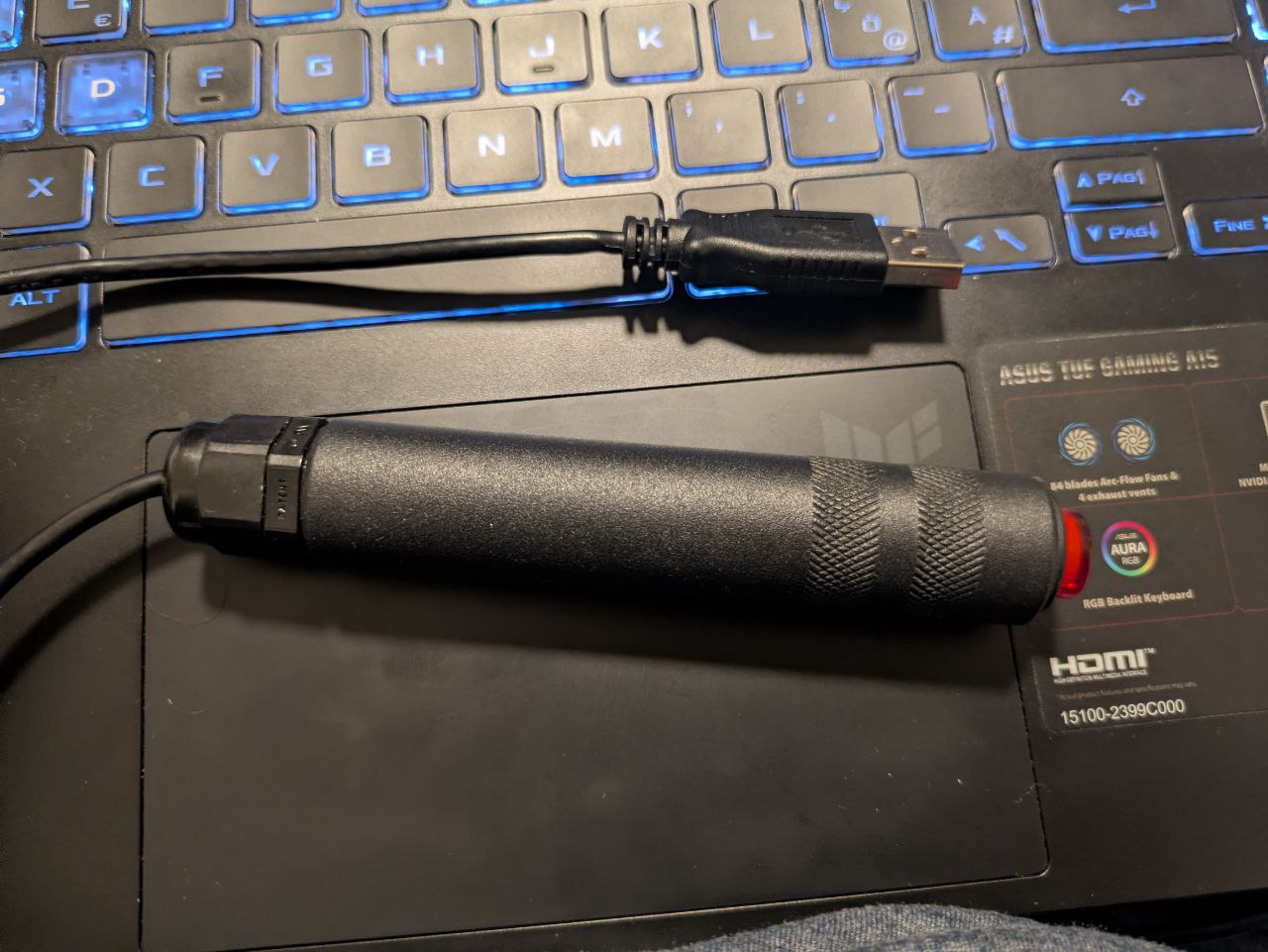
The starting question was completely reasonable:
“I plugged it in. Linux sees it. Why is there nothing in
/dev?”
If you are new to Linux device debugging, this is exactly the right question to ask.
The short answer is:
USB detection is not the same thing as a usable input device.
This post explains why, using a real example (Delcom USB FS IO, VID:PID 0fc5:b080).
What Happened (The Symptom) #
After plugging in the USB button:
- it appeared in
lsusb - Linux showed the vendor/product identity
- but nothing appeared in
/dev/input - no
/dev/hidrawnode existed - pressing the button did nothing
- the HID report descriptor was
0 bytes
That combination is the key clue.
At first glance it looks like a /dev problem.
It was not a /dev problem.
How USB Devices Normally Become Usable on Linux #
This is the most important mental model in the whole writeup.
When you plug in a USB HID device (keyboard, mouse, button, controller), Linux roughly goes through these steps:
1. "Hello, I exist."        (physical connection)
2. "Here is my identity."   (USB enumeration: VID/PID, strings)
3. "I am HID."              (interface binding -> usbhid)
4. "Here is how I behave."  (HID report descriptor)
5. Linux creates /dev nodes (input/hidraw)
If step 4 fails, step 5 never happens.
So a device can be visible in USB tools and still be unusable.
Layer 1: USB Enumeration (What lsusb Proves) #
The kernel detected the device and read its basic USB identity. In dmesg, this looks like:
usb 3-2: New USB device found, idVendor=0fc5, idProduct=b080
This proves:
- a device is physically present
- USB communication works enough for basic identity reads
- Linux knows its vendor/product IDs
This does not prove:
- the device is functioning correctly as an input device
- Linux can parse its HID data
/dev/inputor/dev/hidrawwill exist
This is where many beginners (understandably) get misled.
Layer 2: Interface Binding (What Driver Linux Chose) #
USB devices can expose one or more interfaces. Each interface declares a class.
This device reported a HID keyboard-like interface:
InterfaceClass = 3   (HID)
InterfaceSubClass = 1 (Boot)
InterfaceProtocol = 1 (Keyboard)
Linux then bound the interface to usbhid (the HID USB driver family).
That means the kernel did the right thing so far.
Still, that alone is not enough to create /dev/input or /dev/hidraw.
Layer 3: HID Report Descriptor (The Blueprint) #
This is the critical piece.
A HID device must provide a report descriptor. This descriptor tells Linux:
- what inputs exist
- how many bytes reports contain
- what each bit/byte means
- whether it behaves like keys, buttons, mouse data, LEDs, etc.
Without the report descriptor, Linux has nothing to parse.
No parsing means:
- no
/dev/input/eventX - no
/dev/hidrawX - no usable button events
The Breakthrough Check #
The decisive test was checking the report descriptor size in sysfs:
wc -c /sys/bus/hid/devices/*0FC5:B080*/report_descriptor
Result in the failing state:
0 bytes
That is fatal for HID initialization.
This single result explains why the device was “seen by USB” but not usable.
Why the Missing /dev Entry Was Only a Symptom #
Your original expectation was:
“I want to find it in
/dev.”
That expectation is normal, but here is the important lesson:
- USB devices do not automatically get useful
/deventries /devnodes appear only after the right driver successfully initializes the device- HID devices need a valid report descriptor before Linux can create input/hidraw nodes
So when /dev was empty, Linux was not hiding the device.
Linux simply did not receive enough valid HID information to expose it.
What We Tried (And Why) #
We then systematically ruled out software-side causes.
Checked enumeration #
Confirmed the device appeared in lsusb and dmesg.
What this told us:
- basic USB communication was working
Verified driver binding #
Confirmed the HID interface was bound to usbhid.
What this told us:
- this was not just “no driver loaded”
Verified HID device instance #
Confirmed a HID device instance appeared in /sys/bus/hid/devices/....
What this told us:
- Linux got far enough to instantiate HID state
Checked report descriptor size #
Confirmed the report descriptor was 0 bytes.
What this told us:
- the failure happened before Linux could parse HID reports
Tried recovery-style software/hotplug actions #
We tried actions like re-probing/re-enumerating to see if the device would recover.
Nothing changed the 0-byte descriptor result.
What this told us:
- the problem was below normal driver logic
What This Most Likely Means #
Once you have:
- successful USB enumeration
- correct HID driver binding
- but
report_descriptor = 0 bytes
the likely causes are no longer “Linux configuration mistakes.”
The realistic explanations are:
- Physical transport instability
Examples:
- bad cable
- flaky USB port
- unstable hub
- power issue
- signal integrity/noise problems
- Device firmware or hardware failure
Examples:
- firmware crash
- stuck internal state
- hardware fault
The Most Useful Next Test #
If you want one high-value next step, try the device through a USB 2.0 hub (especially for older full-speed USB HID devices).
Why:
- it changes the host controller path and timing behavior
- some older devices behave better through a USB 2.0 hub than directly on modern USB 3/xHCI ports
Interpretation:
- if the descriptor becomes nonzero, the host path is likely the issue
- if it stays zero (especially on another machine too), the device is likely faulty
A Beginner-Friendly Debugging Checklist #
When a USB input device appears in lsusb but not in /dev/input, check in this order:
- USB enumeration: do VID/PID show up in
dmesg/lsusb? - Interface type: does it identify as HID?
- Driver binding: is
usbhidattached? - HID descriptor: is
report_descriptornonzero? - Device nodes: do
/dev/inputor/dev/hidrawappear?
This turns:
“Linux sees it but it doesn’t work”
into a precise diagnosis.
Final Lesson #
The key lesson is not just about this one USB button.
It is about debugging in layers:
- do not stop at “it appears in
lsusb” - do not assume missing
/devmeans permissions - find the exact stage where initialization stops
In this case, Linux was ready, the driver choice was correct, but the device never delivered a valid HID report descriptor.
That is the real boundary where software debugging ends and hardware/firmware debugging begins.